bloodless.org
Create Your Directive
Every step of the tour on one page — print it or save as PDF to walk through offline.
Open the interactive tour →Step 1 of 15
You arrive at bloodless.org. No account needed to start.

Step 2 of 15
A quick orientation — what a Directive is and what it covers. Then straight into the editor to start building yours.
Step 3 of 15
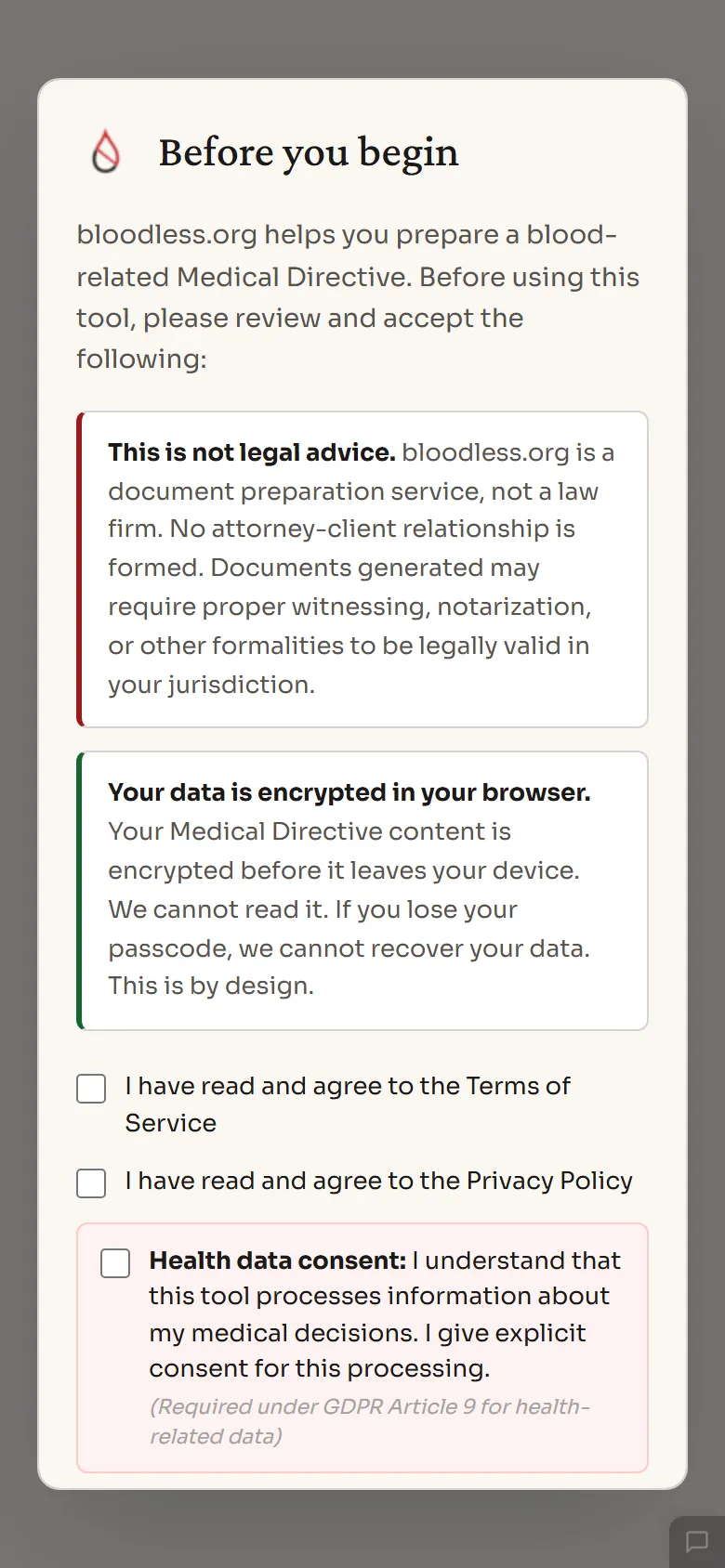
Before you begin, create a passcode. Your Directive is encrypted from the start — only you can unlock it.
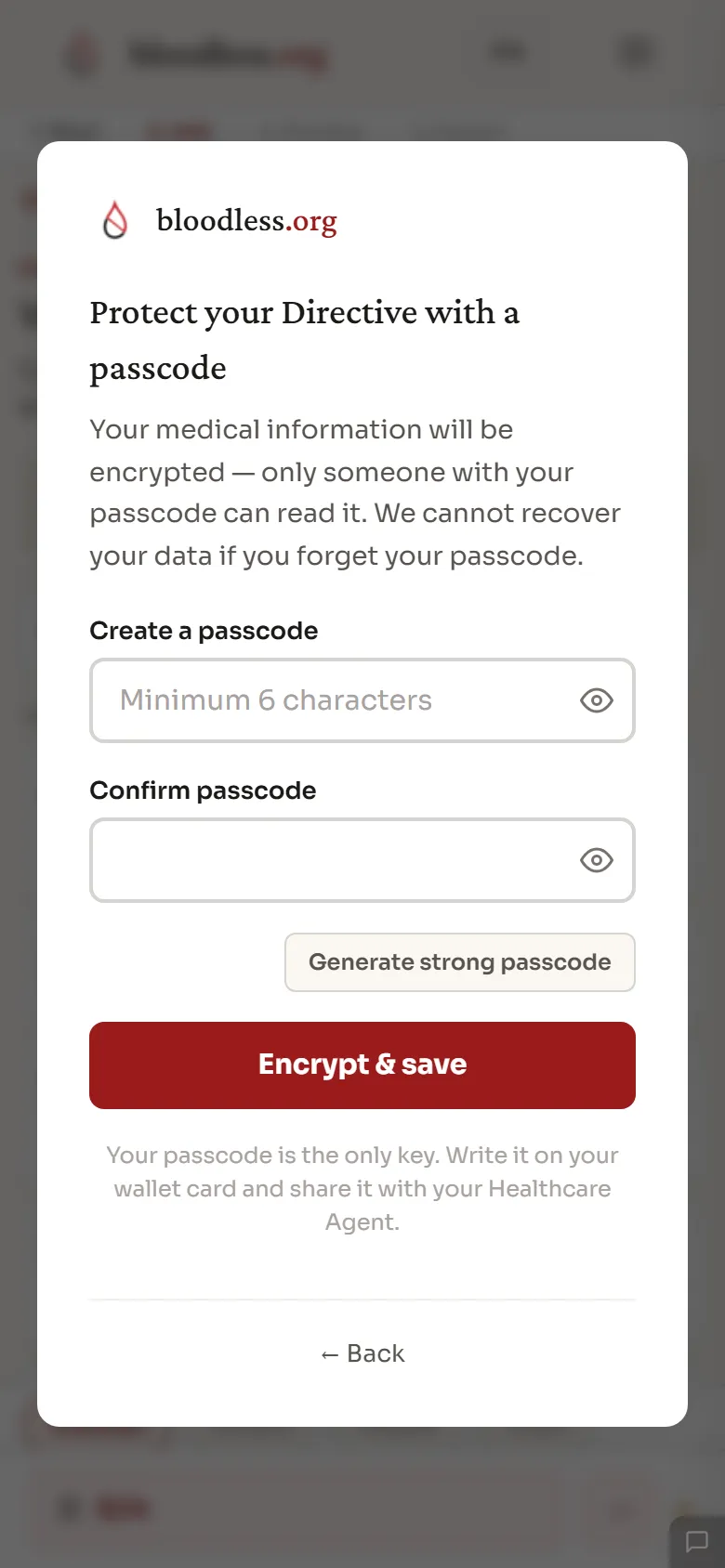
Step 4 of 15
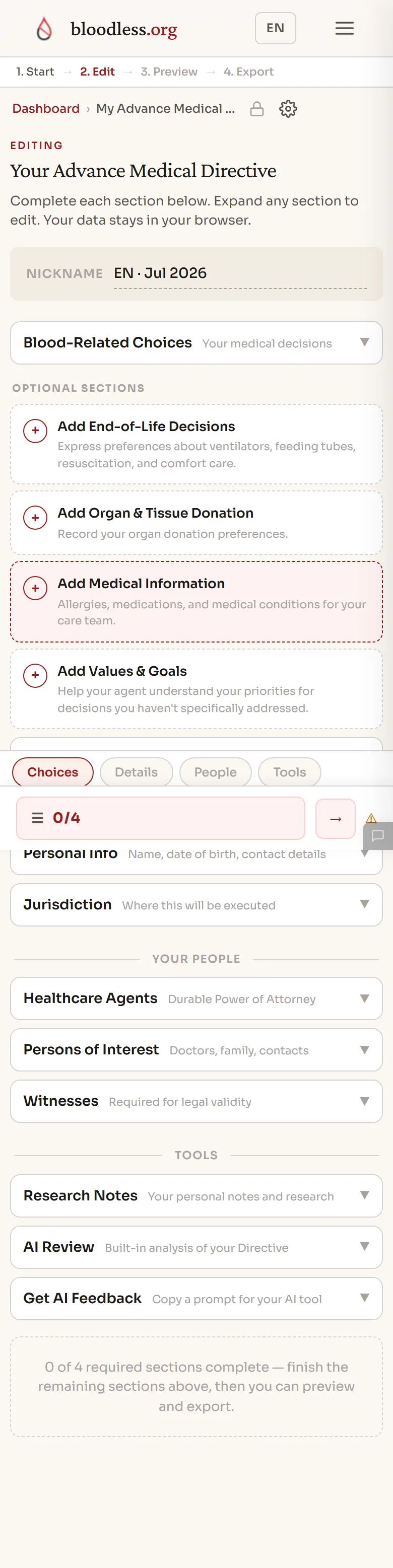
The editor. Every section of your Directive in one place — complete them in any order.
Step 5 of 15
Now the clinical decisions. Each blood product is listed with a plain-language explanation.

Step 6 of 15
Optional sections to complete your directive — end-of-life decisions, organ donation, medical info, and more.

Step 7 of 15
Enter the personal details of the person this directive is for — name, date of birth, and contact info.

Step 8 of 15
Name your Healthcare Agent — the person who speaks for you. Add their name and phone, and they can confirm with one tap.

Step 9 of 15
Your completed Directive. This is what your Care Team will see.

Step 10 of 15
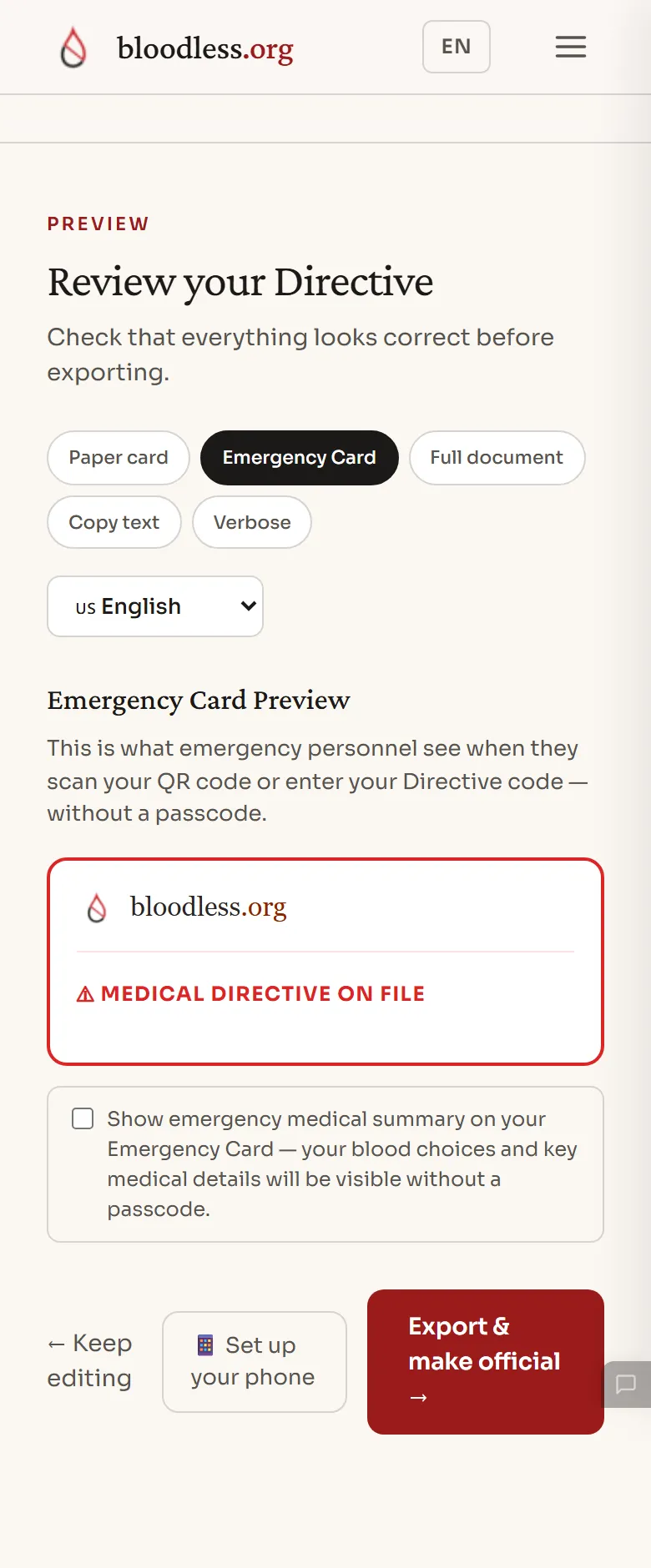
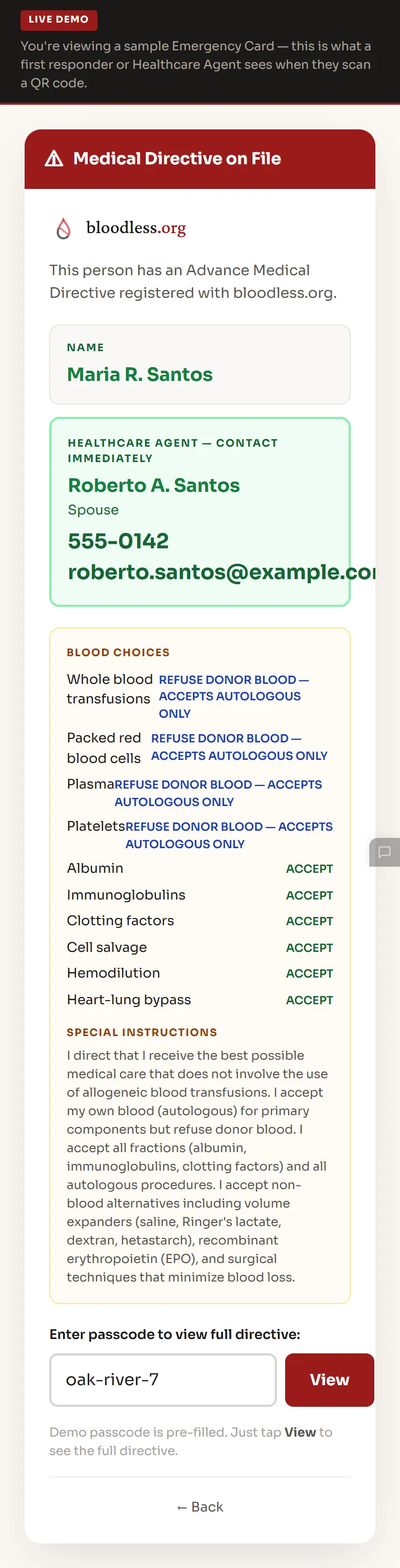
Your Emergency Card — what a first responder sees when they scan your QR code. Name, agent, blood choices, all at a glance.
Step 11 of 15
Download as PDF, print a foldable pocket card, or keep going to save it online. All without an account.

Step 12 of 15
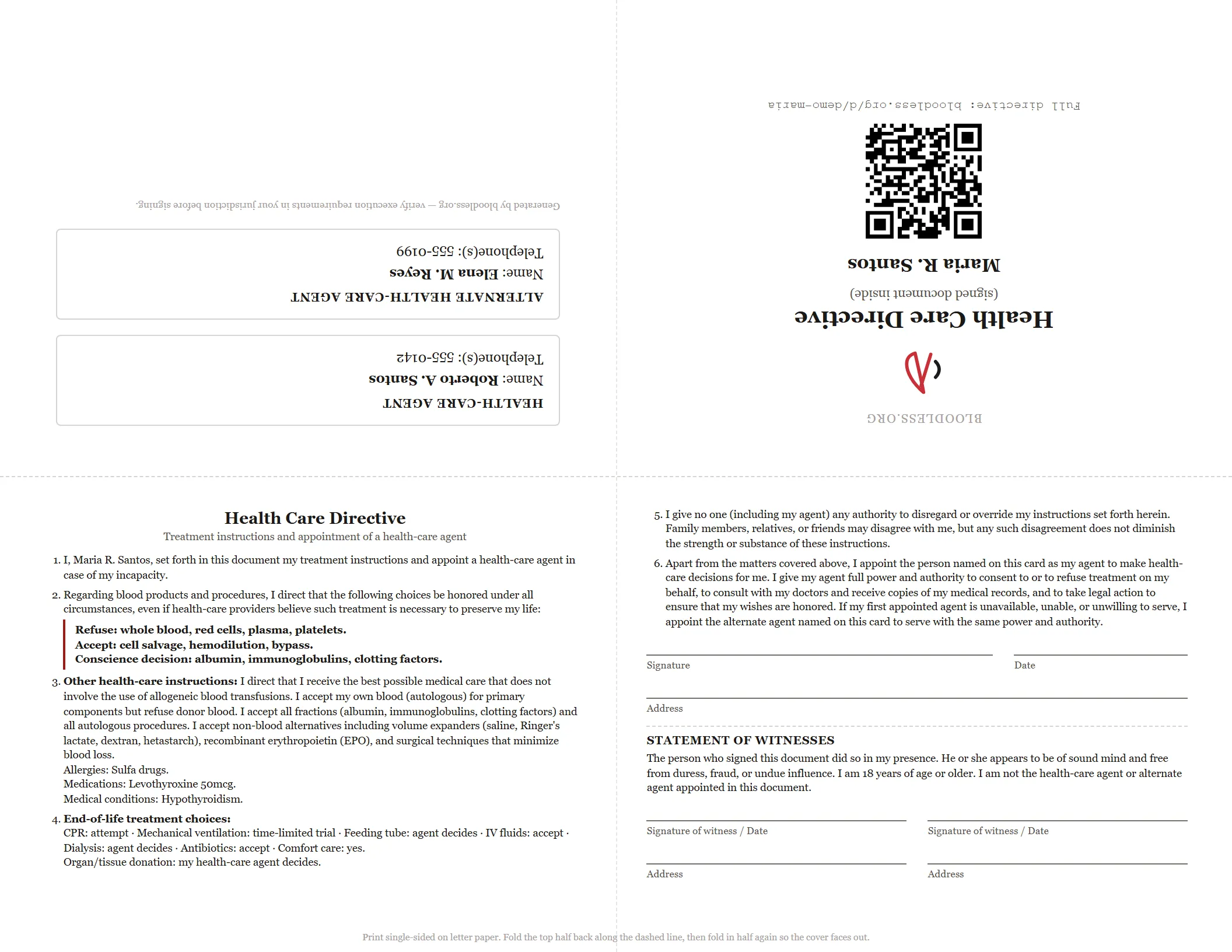
Or print the foldable pocket card: one letter sheet, two folds, no cutting. Front cover, agent contacts on the back, and your condensed Directive with signature and witness lines inside — sign it and you have an executed hard copy in your wallet. (The top row prints upside down on purpose — it reads upright once folded.)
Step 13 of 15
Put your Directive on your phone's lock screen — pick a free template with your name and QR code so responders see it even while your phone is locked. Full customization is a Plus feature, but the essentials are free.

Step 14 of 15
This is what happens when someone scans your QR. Your Directive, instantly accessible — the moment it matters most.
Step 15 of 15
Carry it your way — wallet card, foldable pocket card, or put your QR code on a key tag, dog tag, or wristband (samples shown) so responders can always reach your Directive.
